


Creating a website was like launching a second business a few years ago.
The first thing that came up was the developer’s quotes. Then came the confusing technical terms, late responses, endless revisions, and the rising cost of every change. Building a website was a costly affair for many small business owners in India, even before the website was launched.
But all that has evolved more quickly than most people realize.
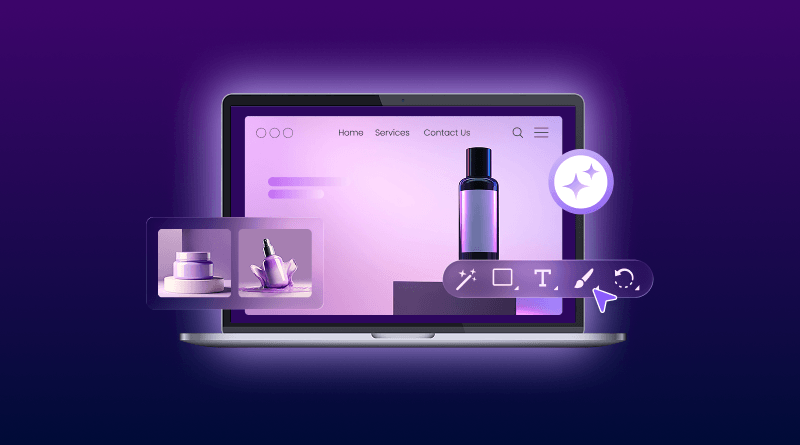
You can now build a professional website in minutes, without coding, without designers and without waiting weeks for development work. Now, with the advent of modern AI website builders, you don’t have to deal with the hard part, as they create layouts, sections, and even starter content automatically.
For BigCloudy WordPress Web Hosting, the free AI website builder is already built in, so you can select your hosting, link your domain, describe your business, and begin building immediately.
No complicated setup. No technical overwhelm. It’s simply a quicker method to get your business online.
If People Cannot Find You Online, They Will Find Your Competitor
In 2026, consumers are searching online for virtually anything before making an online purchase. From finding a gym trainer in Pune to a bakery in Surat, a salon in Delhi, or coaching classes in Nashik, the initial step is typically Google.
Recent digital trends have shown that most Indian customers now check the internet before going to a local business, particularly for services such as salons, gyms, coaching classes, restaurants and home services.
That’s why having a landing page for startups is not a big deal in India. By making your web page fast and mobile-friendly, you can get people to understand your services, read your reviews, contact you on WhatsApp and trust you more quickly.
The truth is, a landing page is a lot more than a website page. It is your online shop, your first impression, and your lead generation tool all in one!
One of the first things to look out for is clearly stating what you are offering a visitor and making it easy for them to get in touch with you. Even on a single-page website, you can start getting enquiries.
The Real Reason Small Businesses Delay Building Their Website
Most business owners are not avoiding a website because they do not want one. They delay it because the entire process feels expensive, confusing, and draining.
One developer quotes ₹15,000. Another asks for ₹1 lakh. Then come weeks of waiting, endless revisions, technical jargon, and extra charges for tiny edits. Even changing a simple banner often means calling the developer again.
For small businesses in India, traditional website development still feels harder than it should.
That is exactly why AI website builders are growing so fast.
With BigCloudy WordPress Hosting, you can skip the complicated setup and create your website using a free AI website builder included with your web hosting. No coding, no design stress, and no waiting months to launch online.
What once needed a full development team can now be done in minutes.
The Smarter Way: Buy Hosting Once, Build Your Website with AI for Free
For launching any new website, you need a domain name and WordPress hosting. The problem is that most people end up spending extra money on designers, developers, and complicated setup processes after that.
BigCloudy simplifies this completely. With the AI website builder, you can create your site in minutes after you select your WordPress web hosting and integrate your domain. The AI doesn’t start from scratch each time it generates a template; you can edit based on your business and choices.
You can edit content, switch sections, make design tweaks, and tweak your site whenever you want without relying on a developer for each little touch.
This is the faster way to get online for small businesses, freelancers, creators, and local brands without making website creation a costly long-term project.
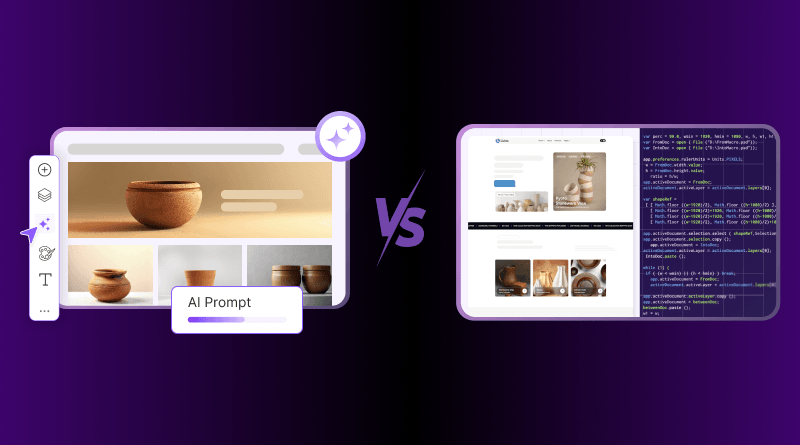
Old-School Website Setup vs The Faster AI-Powered Approach
| Comparison Point | Traditional Website Setup | BigCloudy AI Website Builder |
|---|---|---|
| Cost | High development and design costs. | Affordable AI-powered website creation. |
| Launch Speed | Website launch typically takes weeks. | Website is ready in just a few minutes. |
| Technical Skills | Coding knowledge or technical expertise is often required. | Beginner-friendly with no coding required. |
| Website Updates | Even small changes may require a developer. | Edit and customize the website anytime with ease. |
| Management | Requires multiple tools and manual management. | Hosting, website, and management are available in one place. |
| Workflow | Long planning, revisions, and deployment cycles. | Faster website creation with AI-assisted workflows. |
| Ease of Use | Can be difficult for non-technical users. | Simple, intuitive, and easy to use. |
| Planning Process | Time-consuming planning and manual layout design. | AI generates layouts and page structure instantly. |
What Is an AI Website Builder? Simple Explanation for Beginners
An AI website builder helps you create a website without coding or designing everything manually. Instead of starting from scratch, the AI asks a few simple questions about your business and automatically creates a ready-to-edit website for you.
It may ask things like:
- What type of business do you run?
- Which design style do you prefer?
- What sections do you need?
- Do you want WhatsApp, contact forms, or booking options?
Based on your answers, the AI generates layouts, headings, buttons, content sections, and mobile-friendly pages within minutes.
Think of it like briefing a designer, except the designer replies instantly.
This is why one of the biggest reasons behind this growth is speed. Tasks that traditionally took weeks can now be completed within minutes using AI-assisted website creation tools across India. They make website creation faster, simpler, and much less overwhelming for beginners.
Most modern AI website builders also help with:
- mobile-friendly layouts
- fast-loading pages
- easy customization
- beginner-friendly editing
- basic SEO structure
With BigCloudy WordPress Hosting, the AI website builder is already included, so you can create, edit, and launch your website without depending on developers for every small change.
How to Create a Website for Free with BigCloudy’s AI Website Builder
Creating a website used to feel complicated for beginners. Coding, design tools, developers, hosting setup, and mobile optimization there was always something confusing in the process. But with modern AI website builders, getting online has become much simpler.
With BigCloudy’s AI Website Builder, you can create a professional and mobile-friendly website in minutes, even if you have never built a website before.
Step 1: Choose Your WordPress Hosting
Start by selecting a BigCloudy WordPress Hosting plan. This gives your website the space and performance it needs to run smoothly online.
Step 2: Register Your Domain Name
Pick a domain name that matches your business or brand. This will become your website address that people can search and visit online.
Step 3: Launch the AI Website Builder
After your hosting is active, open the built-in AI Website Builder directly from your dashboard. No manual installation or technical setup is needed.
Step 4: Enter Your Business Details
Describe your business, services, audience, and website goals. You can also mention preferred colours, style, or the type of layout you want.
Step 5: Select a Design Style
The AI will generate different website styles based on your business category. Choose the one that fits your brand best.
Step 6: Generate Your Website Instantly
Within minutes, the AI automatically creates your website layout, content sections, buttons, and starter design. It also builds mobile-friendly, fast-loading pages.
Step 7: Customize Everything Easily
You can edit text, replace images, update contact details, add WhatsApp buttons, and change sections anytime without depending on developers for small updates.
Step 8: Publish Your Website
Once you are happy with the design, publish your website and make your business live online.
The great thing about it is you don’t need to know how to code or have any technical experience to get started. The AI does a lot of the work for you, so creating a website doesn’t seem as daunting as it does for some beginners.
The Secret Most Beginners Miss: Your Prompt Decides Your Website Quality
Most people think AI magically creates perfect websites in one click. In reality, the quality of your website depends heavily on the instructions you give.
An unclear prompt creates an unclear website.
For example:
Weak Prompt: Create a gym website
This gives AI very little direction. The result usually looks generic and forgettable.
Now compare that with this:
Better Prompt: Create a modern landing page for a fitness coach in Mumbai targeting working professionals looking for fat loss programs. Use bold headings, energetic colours, client transformation sections, a WhatsApp CTA, and a mobile-friendly layout.
See the difference?
The second prompt tells AI:
- Who the audience is
- What the business offers
- What style to follow
- What sections to include
- What action visitors should take
That extra clarity helps the AI generate a much stronger website layout and content structure.
The easiest way to think about prompts is this:
AI works best when you explain your business like you are briefing a real designer.
The more context you provide, the more accurate and polished the final website feels.
3 Ready-to-Copy AI Website Builder Prompts
1. Local Business Prompt
Create a clean and professional landing page for a dental clinic in Pune targeting families and working professionals. Use a trustworthy blue and white color theme, appointment booking section, patient testimonials, Google Maps section, WhatsApp contact button, and mobile-friendly design. Highlight painless treatment, experienced doctors, and same-day appointments.
2. Freelancer Prompt
Create a modern personal website for a freelance graphic designer in Delhi. Use a minimal and creative layout with portfolio sections, client reviews, service packages, a contact form, and strong call-to-action buttons. The design should look premium, mobile-friendly, and suitable for attracting startup clients and small businesses.
3. E-commerce Brand Prompt
Create a stylish landing page for an Indian skincare brand selling natural products online. Use soft colours, product showcase sections, customer reviews, offer banners, fast-loading mobile layouts, and clear Buy Now buttons. Include trust-building content around organic ingredients and safe skin care.
Simple Prompt Tips That Improve AI Results Instantly
Mention Your Target Audience
Instead of saying “create a website,” explain who the website is for. This helps AI choose better layouts and messaging.
Describe the Style You Want
Words like modern, minimal, premium, bold, elegant, or playful help shape the design direction.
Add Important Features
Mention things like:
- WhatsApp button
- contact form
- booking section
- testimonials
- pricing table
- product gallery
Tell AI What You Do Not Want
You can also guide AI by saying:
- avoid cluttered design
- no dark colors
- keep layout minimal
- avoid too much text
A landing page should do more than just look attractive. Its real job is to turn visitors into inquiries, calls, or customers.
Your hero section plays the biggest role here. A clear headline like “Affordable Home Interior Design Services in Mumbai” instantly tells people what you offer and also helps with local SEO.
Strong CTA buttons such as “Book Free Consultation” or “Get Quote on WhatsApp” usually perform much better than generic buttons. Many small businesses in India now receive a large portion of their inquiries directly through WhatsApp because customers prefer quick conversations before making decisions. Many customers prefer messaging before calling.
Mobile experience matters too. Mobile traffic now dominates internet usage in India, which is why fast-loading and mobile-friendly websites perform much better in both user experience and Google rankings and keep visitors engaged longer.
Small trust signals also make a huge difference. Real testimonials, Google reviews, HTTPS security, business photos, and local keywords like “gym trainer in Pune” or “cake shop in Surat” help both visitors and Google trust your website more.
The best landing pages are simple, fast, and easy to act on.
Your website looks good. Now let Google find it.
SEO becomes much easier when you focus on the basics first.
Start with clear headings that match what people actually search for, like:
- gym trainer in Pune
- bakery in Surat
- salon in Delhi
- coaching classes in Nashik
These searches, like “gym trainer in Pune” or “best bakery in Surat,” continue growing because people now search with both service intent and city names together.
Your landing page should also be fast and smooth on mobile, as most of the Indian users browse instantly from their mobile devices. A couple of seconds may make a huge difference in bounce rates, particularly for mobile users on slower connections, so the extra few seconds to load can make a big difference.
A few simple things can improve your visibility significantly:
- Write a proper meta title and description
- Compress images for faster loading
- Use HTTPS security
- Add your business location
- Create a Google Business Profile
The good part is that modern AI website builders and WordPress hosting already handle many SEO basics automatically, making it much easier for beginners to get started.
7 Mistakes That Make Most AI Websites Look Cheap
AI can help you create a website quickly, but a few common mistakes can instantly make it look unprofessional and reduce trust.
1. Too Much Text Everywhere
Visitors do not read huge paragraphs online. Keep your content short, clear, and easy to scan.
2. Generic AI Copy
Lines like “We provide the best solutions” sound robotic and forgettable. Add real details about your business, location, and services.
3. Low-Quality Images
Blurry photos and random stock images make websites feel outdated. Use clean visuals that actually match your business.
Buttons like “Submit” or “Click Here” do not create an action. Strong CTAs like “Book Free Consultation” or “Get Quote on WhatsApp” work much better.
5. No WhatsApp Contact Option
Many Indian customers prefer messaging before calling. Missing a WhatsApp contact option can cost you valuable inquiries.
6. Slow Website Speed
Heavy images and cluttered layouts slow your website down. A slow page usually means visitors leave quickly.
7. Ignoring Mobile Design
Most traffic in India comes from smartphones. If your website looks broken or hard to use on mobile, people will not stay long.
One more mistake many beginners make is using too many colors, animations, and flashy sections together. Simple and clean layouts usually build more trust than overly crowded designs.
The good thing is that AI website builders already handle many basics for you. You just need to keep the experience simple, fast, and easy for visitors to understand.
AI Can Build Your Website Fast. But You Still Need Human Thinking.
AI can create layouts, generate sections, and speed up website creation, but the best websites still need a human touch to feel real and trustworthy.
The AI gives you the first draft. You shape the final experience.
Your business story, real customer testimonials, service quality, local understanding, and brand personality are the things that actually build trust with visitors. A website feels much stronger when it reflects real experiences instead of generic AI-generated lines.
For example, a bakery in Surat should not sound like a tech startup in Bangalore. Local context and authentic messaging make a huge difference.
AI builds the structure. Your business experience builds trust.
Your Website Is Probably One Prompt Away
Creating a professional website no longer needs coding skills, expensive developers, or weeks of waiting. With modern AI website builders, even beginners can launch a clean, mobile-friendly website in minutes.
All you really need is the right idea, the right prompt, and a faster way to get online.
With BigCloudy WordPress Hosting, you can build your website using AI, customize it anytime, and launch without turning website creation into a stressful project.
Thousands of people search online before buying every single day. The real question is simple: when they search for your business, will they find you or your competitor?
Frequently Asked Questions
Yes. Modern AI website builders let beginners create websites without writing code. You simply enter your business details, choose a design style, and the AI generates a ready-to-edit website for you.
Yes. AI website builders are becoming popular among Indian businesses because they reduce development costs, save time, and make it easier to launch mobile-friendly websites quickly.
Most AI website builders can generate the first version of your website within minutes. You can then customize text, images, and sections before publishing it online.
Yes. Even with AI website builders, you still need WordPress hosting and a domain name to make your website live on the internet. With BigCloudy, the AI website builder is included with WordPress hosting.
Most modern AI website builders create mobile-responsive layouts automatically and include basic SEO-friendly structure, which helps your website load faster and perform better on Google.