


Many companies think that launching an AI app is synonymous with purchasing expensive GPU servers from the get-go. In practice, in India, most AI-powered applications operate on a regular VPS or cloud setup, as AI processing is outsourced to services like ChatGPT, Gemini, Claude, and other AI APIs.
The bigger challenge isn’t AI; it’s infrastructure. A slow database, limited RAM, poor storage performance, or hosting your application far from your users can create a worse experience than lacking a GPU. For AI chatbots, SaaS platforms, automation tools, and customer support applications, choosing the right server setup often has a greater impact on performance than adding more computing power.
This guide will detail the server setup requirements for AI apps in India, when GPU infrastructure is truly essential, and how to set up your hosting environment in a way that can be cost-effective and scale with your AI project.
What Infrastructure Does an AI App Actually Need?
When people think about AI hosting, they usually focus on the AI model. In reality, the model is often just one part of the system.
A typical AI application includes:
- Frontend: The website, dashboard, mobile app, or chatbot users interact with.
- Backend/API: Handles requests, authentication, business logic, and communication with AI services.
- AI Model: ChatGPT, Gemini, Claude, Llama, or another large language model (LLM) that generates responses.
- Database: Stores users, conversations, application data, and logs.
- Storage: Holds uploaded files, documents, images, and backups.
Think of the AI model as the brain. The frontend, backend, database, and storage are what keep the application running smoothly. Even the most advanced AI model can feel slow if the supporting infrastructure isn’t built properly.
Hosting an AI Model vs Hosting an AI Application
This is one of the most misunderstood parts of AI infrastructure.
Hosting an AI model means running models like Llama, DeepSeek, or Mistral on your own servers. This often requires dedicated GPUs, high memory capacity, and specialized hardware for inference or training.
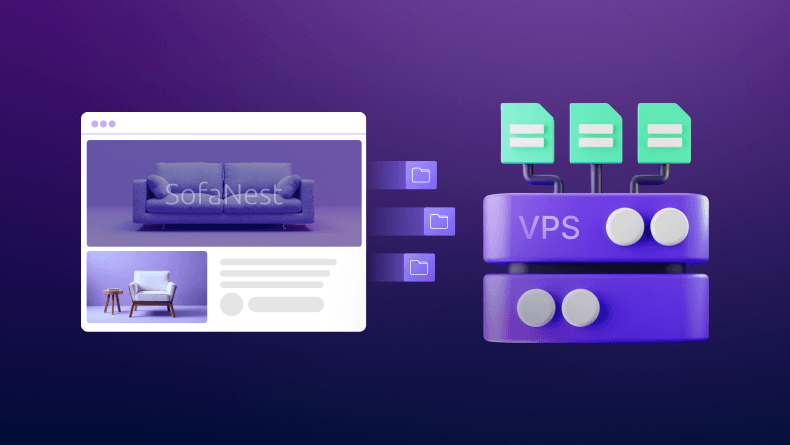
Hosting an AI application is different. You’re hosting the APIs, databases, user interface, automation workflows, and business logic that connect to AI services. For most AI chatbots, SaaS platforms, content tools, and automation systems, a high-performance VPS or cloud server is usually sufficient.
If you’re using AI APIs, focus on reliable application infrastructure. If you’re running the AI model yourself, that’s when GPU infrastructure becomes a serious requirement.
Do You Need a GPU Server for Your AI App?
In most cases, no. Many businesses assume AI applications require costly GPU infrastructure from day one. The reality is that most AI apps rely on services like ChatGPT, Gemini, or Claude, while the server handles application logic, databases, user requests, and integrations.
| Setup | Cost Level | Common Use Cases |
|---|---|---|
| VPS Hosting | Low | AI chatbots, MVPs, automation tools |
| Cloud Server | Medium | AI SaaS platforms and growing applications |
| GPU Server | High | Self-hosted LLMs and AI inference |
| Dedicated GPU Infrastructure | Very High | AI model training and large-scale deployments |
When a VPS or Cloud Server Is Enough
A VPS or cloud server is suitable for:
- ChatGPT-powered applications
- Website and WhatsApp chatbots
- AI SaaS products
- Content generation tools
- Customer support platforms
- n8n AI automations
Here, the AI provider performs the model processing while your infrastructure manages the application itself.
When GPU Infrastructure Makes Sense
Consider GPU resources if you’re:
- Running Llama, DeepSeek, or other LLMs locally
- Fine-tuning models on custom datasets
- Deploying self-hosted inference workloads
- Processing large volumes of AI requests in-house
A simple rule: using AI APIs usually requires a VPS or cloud server; running the AI model yourself usually requires GPUs.
When You Actually Need GPU Infrastructure
GPU servers become important when you’re running the AI model yourself rather than connecting to an external AI service.
Common examples include:
- Running local LLMs such as Llama, DeepSeek, or Mistral
- Fine-tuning models on proprietary data
- Deploying self-hosted AI inference servers
- Serving large volumes of AI requests without relying on third-party APIs
A useful rule of thumb: If you’re building an AI-powered application, a VPS is often enough. If you’re hosting the AI model itself, start planning for GPU infrastructure.
That’s why many successful AI startups begin with cloud or VPS hosting and only move to dedicated GPU resources when their requirements justify the cost.
Server Requirements for AI Applications in India
Most AI applications don’t need enterprise-grade infrastructure from day one. The right setup depends on whether you’re using AI APIs or running AI models yourself.
| Project Type | CPU | RAM | Storage | GPU Needed? |
|---|---|---|---|---|
| AI MVP | 2 – 4 vCPU | 4 – 8 GB | 50 – 100 GB NVMe | No |
| Growing AI SaaS | 4 – 8 vCPU | 16 – 32 GB | 100 – 250 GB NVMe | No |
| RAG Application | 8+ vCPU | 16 – 32 GB | 250+ GB NVMe | Usually No |
| Self-Hosted LLM | 8+ vCPU | 32+ GB | 500+ GB NVMe | Yes |
What Does This Look Like in Practice?
- AI MVP: ChatGPT-powered chatbots, AI content tools, or internal business assistants can run comfortably on a small VPS.
- Growing AI SaaS: More users mean more CPU and RAM for APIs, databases, and background tasks.
- RAG Applications: Fast NVMe storage becomes critical for searching documents and knowledge bases.
- Self-Hosted LLMs: Running models like Llama or DeepSeek requires dedicated GPU resources and significantly more memory.
For most startups in India, a reliable VPS or cloud server is enough. GPU infrastructure only becomes necessary when you’re running AI models locally rather than using AI APIs.
Why Hosting AI Applications in India Improves Performance
For AI applications, speed isn’t measured only by how quickly an AI model generates a response. It’s also influenced by how fast requests travel between your users, application server, database, and AI services.
If most of your users are in India, hosting your application closer to them can reduce latency, improve responsiveness, and create a smoother overall experience.
| Server Location | Typical Latency for Indian Users |
|---|---|
| India (Mumbai / Bengaluru) | 10 ms – 40 ms |
| Singapore | 50 ms – 90 ms |
| Europe | 120 ms – 180 ms |
| United States | 200 ms – 300+ ms |
Lower network latency can make AI applications feel significantly faster. While AI model processing time is important, users often judge performance by how quickly a response begins appearing on their screen. Even small delays can become noticeable in AI chatbots, customer support platforms, and real-time AI assistants.
Hosting your backend, APIs, and database on infrastructure located in India helps reduce unnecessary network hops and international routing delays. The result is faster request handling, quicker page loads, and a better experience for users.
For startups and businesses targeting the Indian market, choosing infrastructure close to your audience is often a more effective performance upgrade than simply adding more server resources.
Data Residency and AI Compliance in India
Customer data, chat logs, file uploads, and application logs can all be important sources of data for AI applications. If your business expands, it’s all the more essential to know where all this information resides.
For many Indian businesses, running their application infrastructure in India can help them gain a clearer picture of customer data, simplify data governance, and prevent cross-border data transfers.
The advantages of a local infrastructure are:
- Greater management of customer/business data.
- More streamlined logging of AI application activity.
- Easier compliance and audit procedures.
- More visibility of data storage processes.
Maintaining the application’s backend, database, and storage in India can enhance application management, foster customer trust, and, when combined with AI tools such as ChatGPT or Gemini, optimize operational efficiency.
With AI applications managing customer interactions, documents, and business records, having insights into where this information is stored is becoming a necessity for business operations and trust.
Common AI Hosting Mistakes That Increase Costs
Many businesses spend more on AI infrastructure than they need to. In most cases, the problem isn’t a lack of server resources; it’s choosing the wrong setup.
Some of the most common mistakes include:
- Paying for GPU servers unnecessarily when using ChatGPT, Gemini, or other AI APIs.
- Oversizing infrastructure before there are enough users to justify it.
- Ignoring storage performance, which can slow down databases and application response times.
- Hosting far from users creates avoidable latency and slower experiences.
- Not planning database growth, leading to performance bottlenecks as data increases.
A well-optimized VPS or cloud server often delivers better value than expensive infrastructure that’s never fully utilized.
Recommended Hosting Setup for Indian AI Startups
The right infrastructure depends on how your AI application is being used. Most startups don’t need enterprise-grade infrastructure on day one, but they do need a setup that can scale without becoming a bottleneck.
MVP Stage: Validate Before You Scale
Recommended Setup: 2-4 vCPU VPS, 4-8 GB RAM, NVMe Storage & AI API
At this point, the purpose would be to get a product to market and test your concept. For any type of AI application, including those like ChatGPT or Gemini, a VPS is typically sufficient to manage application logic, user requests, and database operations when the AI service is responsible for the actual model processing.
Growth Stage: Support More Users and Data
Recommended Setup: 4-8 vCPU Cloud Server, 16–32 GB RAM, Managed Database
As traffic grows, infrastructure demands shift from AI processing to application performance. More users mean more API requests, database queries, background jobs, and stored conversations. A scalable cloud server combined with a managed database helps maintain performance and reliability as usage increases.
Scale Stage: Build for High Availability
Recommended Setup: Dedicated Infrastructure, Load Balancing, Database Replication
When business-critical AI applications, such as SaaS, are used by thousands of people, uptime and performance become critical. Resources are dedicated; load balancing, automated backups, and database replication help prevent single points of failure and ensure performance during traffic spikes.
The bottom line is that building infrastructure to suit your needs now and expanding it later is straightforward. In many cases, a sound app infrastructure investment is much more valuable for most AI startups than costly preemptive GPU server investments.
Conclusion
Most AI applications in India don’t require expensive GPU servers. What matters most is choosing reliable infrastructure with sufficient CPU and RAM, fast NVMe storage, and low latency for Indian users.
GPU infrastructure becomes necessary only when you’re running or training AI models locally. If you’re building AI chatbots, SaaS platforms, automation workflows, or applications powered by AI APIs, a well-configured VPS or cloud server is often the smarter and more cost-effective choice. Explore BigCloudy’s VPS and cloud hosting solutions to power AI-driven applications, APIs, automation workflows, and modern SaaS platforms with reliable infrastructure built for growth.