





Website speed isn’t just a nice-to-have anymore; Google expects it. If your WordPress site loads slowly or jumps around as it loads, you’re risking your ranking, losing visitors, and leaving money on the table.
Plenty of WordPress users try to fix performance with themes, plugins, and other front-end tweaks, but the real foundation is your hosting.
Choosing the right WordPress Hosting solution can significantly improve loading times, server response times, and overall website performance. If your hosting is slow, nothing you do on top will make a big difference.
Let’s walk through what Core Web Vitals actually are, why they matter for SEO, and how your hosting choices can make all the difference.
What Are Core Web Vitals?
Google Core Web Vitals are a set of performance metrics that evaluate how users experience your website. These metrics help website owners identify opportunities for WordPress speed optimization and improve overall page performance.
Google rolled out Core Web Vitals to measure how real people experience your website. These metrics look at how fast stuff loads, how quickly your page reacts when people click, and whether the page “jumps” as it’s rendering.
Here are the big three:
Largest Contentful Paint (LCP): Basically, how long till the biggest thing on your page loads (like a big image, hero section, etc.)? Under 2.5 seconds is good.
Interaction to Next Paint (INP): How snappy your site feels when users interact with it think button clicks or taps. You want it under 200 milliseconds.
Cumulative Layout Shift (CLS): Measures if things jump around while the page is loading. The goal is less than 0.1. No one likes it when a button shifts right as you try to click it. Get these right, and your visitors will notice.
| Metric | Good | Needs Improvement | Poor |
|---|---|---|---|
| LCP | ≤ 2.5 s | 2.5 s – 4 s | > 4 s |
| INP | ≤ 200 ms | 200 ms – 500 ms | > 500 ms |
| CLS | ≤ 0.1 | 0.1 – 0.25 | > 0.25 |
Why Core Web Vitals Matter for SEO
Google says page experience is a ranking factor. High-quality content is crucial, but a slow site will get outranked by faster competitors. Better Core Web Vitals help with:
- More organic search traffic
- Lower bounce rates
- Higher engagement
- More conversions
- Happier visitors
- Stronger performance on mobile
For online stores, investing in optimized WooCommerce Hosting can further improve website speed, checkout performance, and overall shopping experience, helping convert more visitors into customers.
There’s real money at stake. An e-commerce site that shaves even a second off load time often sees sales jump.
How Hosting Directly Impacts Core Web Vitals
Hosting Affects Largest Contentful Paint (LCP)
Largest Contentful Paint (LCP) measures how quickly the main content of a webpage becomes visible to visitors. Slow hosting can increase server response times, causing images, banners, and other important page elements to load more slowly. Fast hosting with NVMe storage, optimized servers, and built-in caching helps reduce loading delays and improve LCP performance.
Server Resources Influence INP
Interaction to Next Paint (INP) measures how quickly a website responds when users interact with it. Limited CPU, RAM, or overloaded servers can cause delays when visitors click buttons, submit forms, or navigate pages. Hosting plans with adequate resources help maintain a responsive user experience and improve INP scores.
Hosting Infrastructure Supports Faster Asset Delivery
Website assets such as images, CSS files, JavaScript, and fonts need to be delivered quickly to users. A strong hosting infrastructure with modern hardware, content delivery integration, and optimized network connectivity helps deliver these assets faster, resulting in improved website speed and better Core Web Vitals performance.
Reliable Hosting Helps Maintain Consistent Performance
Core Web Vitals are based on real user experiences over time. Unreliable hosting can cause performance fluctuations, slowdowns during traffic spikes, and occasional downtime. Reliable hosting ensures consistent speed, stable performance, and a better user experience, helping websites maintain strong Core Web Vitals scores and SEO performance.
How WordPress Hosting Impacts Core Web Vitals
Your hosting provider directly affects TTFB optimization (Time to First Byte), server response times, database performance, and caching capabilities. Faster hosting infrastructure helps improve LCP, maintain responsive interactions, and deliver better Google Core Web Vitals scores.
Server Speed & Response Time – Faster servers reduce loading delays and help improve Core Web Vitals, especially Largest Contentful Paint (LCP).
Database Performance – Optimized database access allows WordPress to retrieve content more quickly, resulting in faster page loads.
Available Resources – Adequate CPU, RAM, and storage ensure your website remains responsive, even during periods of higher traffic.
Network Speed & Latency – Better network infrastructure and nearby data centers help deliver content to visitors faster.
Built-In Caching – Server-level caching reduces server workload and improves loading times by serving stored content more efficiently.
Traffic Spike Handling – Quality hosting can manage sudden increases in visitors without causing slowdowns or downtime.
Improve LCP with Faster Hosting
One of the most effective ways to improve LCP is by reducing server response times. Choosing hosting with NVMe storage, optimized databases, and built-in caching can significantly improve loading performance and support better Core Web Vitals WordPress scores.
When it comes to Core Web Vitals, hosting plays a major role in determining how fast and responsive your website feels to visitors. Shared hosting can be a good starting point for small websites, but because resources are shared among multiple users, performance may fluctuate during traffic spikes. This can negatively impact metrics like Largest Contentful Paint (LCP) and Interaction to Next Paint (INP).
VPS hosting provides dedicated CPU, RAM, and storage resources, resulting in more consistent performance and faster server response times. With better resource availability, VPS hosting can help improve Core Web Vitals scores, reduce loading delays, and deliver a smoother user experience. For growing websites focused on SEO and performance, VPS hosting is often the better choice for maintaining strong Core Web Vitals results.
| Feature | Shared Hosting | VPS Hosting |
|---|---|---|
| Server Resources | Shared with multiple websites on the same server. | Dedicated CPU, RAM, and storage resources. |
| Server Response Time | Can fluctuate depending on overall server usage. | Faster and more consistent response times. |
| Website Speed | Performance may vary when server resources are heavily used. | Delivers stable and reliable website performance. |
| Traffic Handling | Suitable for lower traffic levels but may slow down during spikes. | Better equipped to handle traffic growth and sudden spikes. |
| Caching Support | Usually includes basic caching features. | Supports advanced caching configurations and optimization. |
| Scalability | Limited upgrade options and resource flexibility. | Easy resource upgrades as website requirements grow. |
| Performance Consistency | May be affected by neighboring websites on the same server. | Dedicated resources provide predictable performance. |
| SEO Impact | Performance fluctuations can affect user experience and rankings. | Better speed and stability support stronger SEO performance. |
| Cost | Lower monthly cost and budget-friendly. | Higher cost but offers greater performance and control. |
| Security | A shared environment may increase exposure to neighboring issues. | An isolated environment provides improved security and control. |
Choose WordPress Hosting That’s Actually Fast
You can’t fix slow hosting with a bunch of plugins. Look for hosts that offer:
NVMe Storage:
Way faster than regular SSDs. NVMe means quicker file access and database queries, which is a key win for any busy site.
Latest PHP Versions:
Don’t get stuck on old PHP. With PHP 8, you’ll see faster execution, better security, and lower resource use.
Solid Resources:
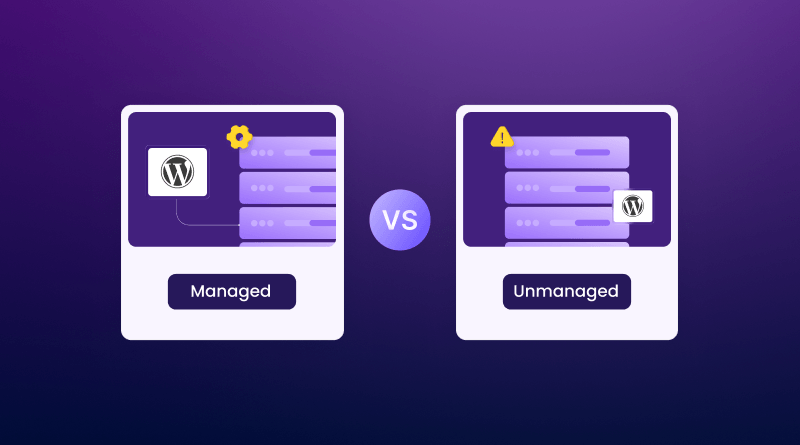
Shared hosting might be fine at first, but it usually bogs down fast as your traffic grows. Managed WordPress hosting, VPS Hosting, or cloud hosting options all offer dedicated resources and better reliability.
Reduce Server Response Time
Largest Contentful Paint takes a big hit when your server is sluggish.
Upgrade Your Plan:
If your website is slow and you’re still using a budget shared hosting plan, consider upgrading to a VPS or cloud hosting plan. The additional resources and improved performance often make a noticeable difference.
Optimize Your Database:
WordPress databases get messy, with extra post revisions, spam comments, expired transients, and unused tables. Clean them out for faster queries.
Use Object Caching:
Technologies like Redis or Memcached store important data in memory, so your site doesn’t have to repeatedly fetch everything from the database.
Implement Effective Page Caching
WordPress sites build pages dynamically, which can be slow. Caching plugins like LiteSpeed Cache, WP Rocket, or W3 Total Cache generate static versions of your pages so they load in a snap. Many good hosts have server-level caching too, which is even faster.
Why cache?
- Reduces server strain
- Delivers pages faster
- Boosts LCP right away
Use a CDN
A CDN (Content Delivery Network) stores copies of your site at data centers across the planet. Someone in Paris, Sydney, or Chicago gets content from the nearest server, slashing wait times. Top CDNs include Cloudflare, Bunny CDN, and KeyCDN.
The benefits:
- Lower latency for global users
- Faster image and asset delivery
- Better LCP scores
CDNs are almost a must if you have international visitors.
Optimize Images
Large or uncompressed images are a classic performance killer.
Compress Images:
Use tools like ShortPixel, Imagify, or TinyPNG to crunch file sizes without ruining quality.
Modern Formats:
WebP and AVIF are smaller yet keep images looking sharp.
Lazy Loading:
Load images only when someone scrolls to them. This cuts down your initial page load and bandwidth use.
Minimize Render Blocking Resources CSS and JavaScript files can slow the browser’s ability to render your content
Here’s how to help:
Minify: Shrink CSS/JS files by removing whitespace, comments, and other unnecessary elements. Defer Non-essential Scripts: Unless the script is needed for the first view, load it later.
Remove Unused Assets:
Many themes/plugins load extra CSS or JS on every page when you only need it on a few pages
Boost Interaction to Next Point:
Sites can be snappy at loading but feel laggy as you click around. That’s often a plugin or third-party script overload.
Cut Plugins: Audit your site.
Do you really need all those plugins? Remove what you don’t.
Pick Lightweight Themes:
Themes like Astra, GeneratePress, or Kadence focus on speed and simplicity. Skip bloated multipurpose templates.
Be Picky with Third-Party Scripts:
Every ad network or widget you add taxes your site’s responsiveness. Only include what’s truly valuable.
Prevent Cumulative Layout Shift
Nothing’s more annoying than trying to tap a button and having it move. Here’s how you stop it:
- Always set image width and height attributes so the browser knows how much space to reserve
- If you use ads, give them a fixed slot on the page
- Load web fonts in a way that doesn’t cause text to jump (font-display: swap helps)
- Keep embeds tidy
Keep WordPress Up to Date
Outdated WordPress core, plugins, or themes can bring both security holes and unexpected slowness. Stay on top of updates, including PHP. It’s low-hanging fruit for better performance.
Don’t Forget Mobile!
Most people will access your site via their phone. Google checks the mobile version, not the desktop. For better mobile performance:
- Keep designs simple and uncluttered
- Compress or avoid huge videos and images
- Always test your site on real devices
Check Core Web Vitals Regularly.
Performance isn’t a “set it and forget it” thing. Track your progress with:
- Google PageSpeed Insights (for instant feedback)
- Google Search Console (for field data from real users)
- Lighthouse (great for developers)
- GTmetrix (deep dives into speed bottlenecks)
If you watch your numbers, you’ll catch issues before they hit your bottom line.
Common WordPress Performance Mistakes
Everyone makes these mistakes at some point:
- Cheap, Overcrowded Shared Hosting
Shared servers with too many websites can slow down performance and increase loading times. - Too Many Plugins
Unnecessary plugins add extra code and requests, making your website slower. - Unoptimized Images
Large image files take longer to load and can negatively impact user experience. - Ignoring Database Cleanup
A cluttered database can slow down content delivery and website performance. - Using Outdated PHP Versions
Older PHP versions are less efficient and may slow down websites.
Even fixing a few of these lets your site breathe.
What’s Next for Core Web Vitals?
Google continues to raise the standards for website performance by focusing more on real user experience, responsiveness, and mobile usability. As user behavior evolves, websites that load quickly, respond instantly, and provide a smooth browsing experience will be better positioned to maintain strong search visibility.
At the same time, AI-powered optimization tools and advanced hosting technologies are making performance improvements easier than ever. Businesses that invest in faster hosting, better caching, image optimization, and Core Web Vitals today will be better prepared for future Google updates and less likely to be affected by ranking changes.
Conclusion
Sharpening up your Core Web Vitals on WordPress isn’t just about chasing scores; it’s at the heart of building a site people (and search engines) want to visit. The secret sauce is great hosting with fast storage, modern PHP, built-in caching, and enough resources to handle your crowd.
Mix in image compression, a solid CDN, efficient caching, database cleanup, and ongoing mobile tweaks, and you’ll have a site that loads fast everywhere.
If Google’s making user experience a priority, you should too. Sites that take Core Web Vitals seriously win more traffic and sales and stay ready for whatever comes next in search.
All three Core Web Vitals are important, but Largest Contentful Paint (LCP) is often the best place to start. LCP measures how quickly the main content of a page becomes visible to visitors, directly influencing how fast your website feels. Improving LCP can create a better first impression and enhance the overall user experience.
Yes, hosting significantly impacts Core Web Vitals performance. Your hosting provider influences server response times, database performance, resource availability, and caching capabilities. Even a well-optimized website can struggle to achieve good Core Web Vitals scores if it is running on slow or overloaded servers. BigCloudy’s hosting uses NVMe storage, LiteSpeed servers, and built-in caching to improve loading speeds, boost Core Web Vitals performance, and support better SEO results
A Content Delivery Network can greatly improve Core Web Vitals by reducing the distance between your website content and your visitors. Static assets such as images, CSS files, and JavaScript files are delivered from servers closer to users, resulting in faster loading times and improved performance metrics.
It is a good practice to review your Core Web Vitals data at least once every month. You should also perform additional checks whenever you launch a new website design, install new plugins, migrate hosting providers, or make major content updates that could impact performance.
Shared hosting can work well for small websites with limited traffic and simple requirements. However, as your website grows, shared resources may create performance bottlenecks. Websites that receive moderate to high traffic generally benefit from VPS, cloud, or managed WordPress hosting to improve Core Web Vitals performance.
Yes, plugins can have a significant impact on Core Web Vitals. Poorly coded or excessive plugins may add extra JavaScript and CSS files, as well as database queries, which can slow page load times and reduce responsiveness. Regularly reviewing installed plugins, removing unnecessary ones, and choosing performance-optimized plugins can help maintain strong Core Web Vitals scores and improve overall website performance.