





Every visitor who lands on your online store has one expectation: the page should load instantly. If it doesn’t, they’ll often leave before they even see your products. According to Google, when page load time increases from 1 second to 3 seconds, the probability of a visitor bouncing rises by 32%. At 5 seconds, that probability jumps to 90%.
Many store owners respond by upgrading their hosting, compressing images, or installing caching plugins. While those improvements help, they don’t solve one often-overlooked problem: distance. If your server is in one location and your customers are spread across different cities or countries, every product image, stylesheet, and script has farther to travel before your page can fully load.
That’s where a content delivery network (CDN) makes a measurable difference. Instead of serving static files from a single server, it delivers them from the location closest to each visitor, helping reduce latency, improve page speed, and create a smoother shopping experience.
In this guide, you’ll learn why every eCommerce store needs a CDN, how it improves website performance, when it’s worth using, and how it works alongside your web hosting to keep your online store fast and reliable.
Key Takeaways
If you only have a minute, here’s what you need to know:
- A CDN shortens the distance static content travels, helping your pages load faster for visitors wherever they are.
- A CDN is not a web hosting service. Your hosting provider provides you with your store and database, and a CDN is responsible for getting content to you quickly from various locations.
- The most significant advantages for eCommerce stores are faster product pages, reduced server strain, enhanced Core Web Vitals, scalability during sales, and smoother shopping experiences.
- When your customers are from various cities or countries, your store uses large product images, or your traffic increases during promotions, a CDN is no longer an option. It’s a good performance investment.
- The best-performing online stores treat a CDN as one layer of a broader performance strategy alongside reliable hosting, caching, and image optimization.
How Does a CDN Work?
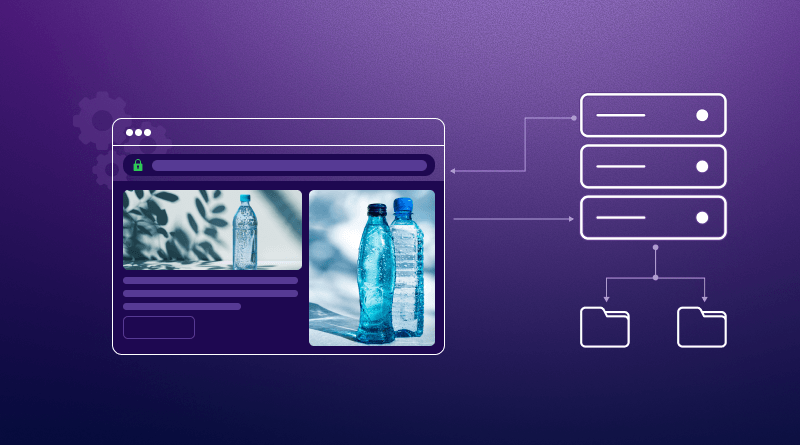
Every time someone visits your website, their browser requests files like images, CSS, JavaScript, and fonts. Without a CDN, all of those requests travel to your hosting server, regardless of where the visitor is located.
A CDN changes that process. It stores cached copies of your website’s static assets across multiple edge locations around the world. When someone opens your store, those cached files are delivered from the nearest available location, while your hosting server continues handling dynamic requests such as login, cart, and checkout.
The result is a shorter delivery path for static content, lower latency, and a faster browsing experience for customers, especially those who are far from your hosting server.
How the request flows
- A visitor opens your online store.
- The CDN checks whether a cached copy of the requested file is available nearby.
- If it is, the file is delivered from the closest edge location.
- If not, the CDN retrieves it from your hosting server, caches it, and serves it to the visitor.
- Future visitors requesting the same file receive it directly from the CDN, reducing both load time and server workload.
Why Does Distance Make Your eCommerce Website Slower?
A fast hosting server doesn’t always guarantee a fast shopping experience. The physical distance between your server and your customers also affects loading speed.
For example, if your store is hosted in Delhi and someone shops from Singapore, every image, stylesheet, and JavaScript file has to travel thousands of kilometers before the page is fully displayed. Modern product pages often load dozens of separate resources, so even small delays accumulate quickly.
According to the HTTP Archive, images are the largest component of most webpages, accounting for nearly half of the total page weight. Since images also require the most data to transfer, they are often the biggest reason distant visitors experience slower page loads.
Instead of requesting the same static assets from your origin server every time, nearby edge servers deliver cached copies, reducing unnecessary travel time.
| Without a CDN | With a CDN |
|---|---|
| Every static file is downloaded from your hosting server. | Static files are delivered from the nearest edge server. |
| Higher latency for visitors far from the server. | Lower latency regardless of visitor location. |
| More requests reach the origin server. | Most static requests are handled by the CDN. |
| Higher server load during traffic spikes. | Better scalability during sales and promotions. |
The result is a faster website, lower server load, and a more consistent shopping experience, whether your customer is browsing from Mumbai, London, or New York.
A Common Mistake Store Owners Make
Many store owners assume that a slow website automatically means they need a bigger hosting plan. Sometimes that’s true, but not always.
If your server is already performing well and most of your visitors are coming from different cities or countries, upgrading your CPU or adding more RAM won’t reduce the distance that product images, CSS, JavaScript, and other files have to travel. Network latency is a different problem.
That’s where a CDN adds value. Rather than increasing your server’s processing power, it removes unnecessary network distance, allowing visitors to receive static content more efficiently.
Key CDN Facts
- Google reports that when page load time increases from 1 second to 3 seconds, the probability of a visitor bouncing rises by 32%. If it reaches 5 seconds, that probability jumps to 90%. This highlights why even small delays can have a significant impact on an online store.
- According to the HTTP Archive, images account for nearly 50% of an average webpage’s total size. Since product images are often the heaviest assets on an eCommerce website, delivering them through a CDN can significantly reduce loading time.
- Google recommends keeping Largest Contentful Paint (LCP) under 2.5 seconds to deliver a good page experience. Faster delivery of images and other static assets through a CDN can help strengthen this Core Web Vital when combined with proper optimization.
- Deloitte’s “Milliseconds Make Millions” study found that improving mobile site speed by just 0.1 second was associated with higher conversion rates, increased average order values, and better customer engagement for retail websites. Small performance enhancements can have measurable business benefits.
- Modern CDN providers operate hundreds of edge locations worldwide. For example, Cloudflare’s network spans more than 330 cities. A geographically distributed CDN reduces the distance static files travel, helping websites load faster for visitors around the world.
How CDN Improves eCommerce Website Speed
A CDN doesn’t make your website faster by changing your code. It speeds up how content reaches your visitors. Here are the biggest ways it improves eCommerce website performance.
Caches Images Closer to Your Customers
As online stores grow, media assets often become one of the biggest contributors to page weight. Instead of downloading them from your origin server every time, a CDN stores cached copies on nearby edge servers. Visitors receive images from the closest location, reducing load times and making product pages feel more responsive.
Reduces Latency Across Different Locations
Geography still affects website speed. The farther the data has to travel, the more noticeable the delay becomes. A CDN shortens that journey by serving static content from the nearest edge server. This helps deliver a more consistent browsing experience, whether your customers are in Mumbai, Bengaluru, Dubai, or London.
Loads CSS, JavaScript, and Fonts Faster
A webpage is more than just text and images. It also depends on CSS, JavaScript, fonts, and icons to display correctly. A CDN delivers these assets from nearby servers, allowing pages to render faster and become interactive sooner.
Handles Traffic Spikes During Sales
Promotional events often bring thousands of visitors to your store at the same time. Whether it’s Black Friday, Diwali, a flash sale, or a new product launch, a CDN distributes requests across its global network instead of sending every request to your hosting server. This keeps storefront performance more consistent when demand suddenly increases.
Reduces Load on Your Origin Server
Without a CDN, your hosting server has to deliver every image, stylesheet, and script to every visitor. A CDN takes over most of that work by serving cached static files, allowing your origin server to focus on dynamic tasks such as user logins, shopping carts, inventory updates, and checkout. This leaves more server capacity available for dynamic processes such as checkout, inventory updates, and customer sessions.
Does a CDN Work with WooCommerce, Magento, Shopify, and Other eCommerce Platforms?
Yes. A CDN is platform-independent, meaning it works with almost every modern eCommerce platform and framework. Whether your store is built with WooCommerce, Magento, Shopify, OpenCart, or a custom application using Laravel or Node.js, the CDN performs the same job: it delivers static assets from the nearest edge server while your application server continues processing dynamic requests.
| Platform | How a CDN Helps |
|---|---|
| WooCommerce | Speeds up product images, CSS, JavaScript, and category pages. |
| Magento | Improves catalogue performance and reduces server load during high traffic. |
| Shopify | Delivers theme assets, images, and scripts faster to global customers. |
| OpenCart | Accelerates product pages and static resources. |
| Laravel eCommerce | Improves frontend asset delivery while Laravel handles business logic. |
| Node.js eCommerce | Reduces latency for static files while the application manages real-time requests. |
Does a CDN Improve Core Web Vitals?
Yes, but only to a certain extent. A CDN can improve several Core Web Vitals by delivering static content faster, but it isn’t a magic fix. If your website is weighed down by oversized images, a poorly coded theme, or dozens of heavy plugins, a CDN alone won’t solve those issues.
Here’s how a CDN contributes to Google’s Core Web Vitals:
| Core Web Vitals | How a CDN Helps |
|---|---|
| LCP (Largest Contentful Paint) | Delivers product images and other large assets from nearby edge servers, helping the main content appear faster. |
| INP (Interaction to Next Paint) | Loads CSS, JavaScript, and fonts more quickly, allowing pages to become responsive sooner. |
| CLS (Cumulative Layout Shift) | Can indirectly improve stability when optimized assets load consistently, but it doesn’t fix poor page layouts. |
A CDN improves content delivery, but it doesn’t solve underlying optimization issues. It can reduce latency and speed up content delivery, but it cannot fix:
- A slow or poorly optimized WordPress theme
- Oversized, uncompressed product images
- Too many resource-heavy plugins
- Slow database queries
- Inefficient website code
The best results come from combining a CDN with good hosting, optimized images, efficient caching, and a well-built website.
What Are the Biggest Benefits of CDN for Online Stores?
A CDN isn’t just about shaving a few milliseconds off your load time. For an eCommerce business, faster content delivery creates a better shopping experience from the moment a visitor lands on your store until they complete checkout.
Faster Product Pages
Shoppers expect product pages to appear almost instantly, especially when comparing multiple products. Since a CDN serves images, CSS, and JavaScript from the nearest edge server, category pages and product pages appear much faster, especially for visitors who are far from your hosting server.
Better Mobile Shopping Experience
Mobile shoppers are often less forgiving than desktop users. They’re browsing while commuting, switching between networks, or relying on mobile data. Every extra second spent waiting increases the chance they’ll abandon the page before they’ve even seen your products.
Improved Conversion Potential
Website speed influences how people interact with an online store. Faster pages encourage visitors to browse more products, spend more time on your website, and are less likely to leave before a page finishes loading. Google has also highlighted page experience as an important part of delivering a better user experience, while Akamai’s eCommerce research has consistently found a relationship between faster websites and stronger business outcomes.
Although no CDN can guarantee more sales, improving page speed removes one of the biggest barriers between your customers and a completed purchase.
Better SEO Opportunities
Search engines want to rank websites that offer a good user experience. A CDN can help improve loading speed and support better Core Web Vitals, both of which contribute to overall website performance. While a CDN alone won’t improve rankings, it complements other technical SEO improvements and creates a faster experience for both users and search engines.
Better Protection Against DDoS Attacks
Many CDN providers include built-in DDoS protection and traffic filtering. Instead of allowing every request to reach your origin server, suspicious traffic can be identified and filtered before it affects your website. This adds an extra layer of security and helps keep your online store available during attacks.
Lower Bandwidth Usage
Because a CDN serves cached copies of your static files, fewer requests reach your hosting server. This reduces bandwidth consumption, lowers server resource usage, and allows your infrastructure to handle more visitors efficiently.
More Reliable During High Traffic
Sales events like Black Friday, Diwali, festive promotions, or a new product launch can send thousands of shoppers to your website within minutes. Without distributed caching, every visitor requests the same assets from the origin infrastructure. With a CDN, static content is distributed across multiple edge servers, reducing the load on your hosting and helping your store stay fast and responsive even during peak traffic.
CDN vs Web Hosting for Website Performance: What’s the Difference?
One of the biggest misconceptions is that a CDN replaces web hosting. It doesn’t. Your hosting server is responsible for running your website, while a CDN helps deliver your website’s static content more efficiently. They solve different problems and work best together.
| Web Hosting | CDN |
|---|---|
| Stores your website files. | Stores cached copies of static files on edge servers. |
| Runs PHP and other server-side applications. | Doesn’t process PHP or other server-side code. |
| Stores your database. | Doesn’t replace your database. |
| Generates dynamic pages. | Delivers cached images, CSS, JavaScript, fonts, and videos. |
| Operates from one or a few server locations. | Uses a global network of edge servers. |
A useful way to look at it is this: hosting powers your application, while a CDN improves how that application reaches visitors.
The fastest eCommerce websites don’t choose between hosting and a CDN. They use both.
| Feature | CDN | Hosting | Caching |
|---|---|---|---|
| Stores website | ✓ | ✓ | ✗ |
| Runs PHP | ✗ | ✓ | ✗ |
| Delivers images | ✓ | ✓ | ✓ |
| Database | ✗ | ✓ | ✗ |
| Reduces latency | ✓ | ✗ | Partial |
| Global delivery | ✓ | ✗ | ✗ |
Common CDN Myths That Hurt Online Store Performance
Despite being around for years, CDNs are still surrounded by a lot of misconceptions. Let’s clear up some of the most common ones.
Myth 1: A CDN replaces web hosting.
It doesn’t. Your hosting server runs your website, stores your database, and processes tasks like logins, shopping carts, and checkout. A CDN simply delivers your static files, such as images, CSS, and JavaScript, from servers closer to your visitors. You need both for the best performance.
Myth 2: Only global businesses need a CDN.
Not true. Even if you only sell within one country, your customers may be spread across different cities and states. A CDN helps reduce latency for visitors regardless of whether they’re in Mumbai, Bengaluru, Delhi, or anywhere else.
Myth 3: My hosting already has caching, so I don’t need a CDN.
Server-side caching and a CDN are different technologies. Caching helps your server generate pages faster, while a CDN reduces the distance those pages and files travel to reach your visitors. They complement each other rather than replace one another.
Myth 4: CDNs are only for large enterprise websites.
Years ago, that may have been true. Today, many CDN providers offer affordable or even free plans, making them accessible to small businesses, startups, and growing online stores.
Myth 5: WooCommerce doesn’t benefit from a CDN.
It absolutely does. While checkout and cart pages remain dynamic, a WooCommerce store still serves hundreds of static files, including product images, stylesheets, fonts, and scripts. Delivering those files from nearby edge servers can significantly improve the shopping experience.
How to Know If Your Store Needs a CDN
You’re likely to benefit from a CDN if you answer “Yes” to most of these questions:
- Do your customers come from multiple cities or countries?
- Do your product pages contain large images or videos?
- Do some pages feel slow, especially for visitors outside your hosting location?
- Do you experience traffic spikes during festive sales, product launches, or marketing campaigns?
- Are you trying to improve your Core Web Vitals or overall website speed?
- Is your product catalog growing with more pages and media?
If you found yourself answering “Yes” more than once or twice, adding a CDN is worth considering. It can improve performance, reduce the load on your hosting server, and deliver a smoother experience to every visitor.
How to Choose the Right CDN for Your Online Store
Choosing a CDN isn’t just about finding the provider with the largest network or the lowest price. The right choice depends on how well it improves your store’s speed, security, and day-to-day management. Here are the features worth paying attention to before making a decision.
| Feature | Why It Matters |
|---|---|
| Global PoP (Point of Presence) Network | A CDN with servers in more regions can deliver content from locations closer to your customers, reducing latency and creating a more consistent shopping experience worldwide. |
| HTTP/3 Support | Uses a modern protocol that improves connection speed and reliability, particularly for mobile users and visitors on slower or unstable networks. |
| Brotli Compression | Compresses HTML, CSS, and JavaScript files more efficiently than older methods, reducing page size without affecting quality. |
| Automatic Image Optimization | Converts images to modern formats like WebP or AVIF, resizes them for different devices, and compresses them automatically to improve loading speed. |
| DDoS Protection | Filters malicious traffic before it reaches your website, helping keep your store online during attacks or unexpected traffic surges. |
| Web Application Firewall (WAF) | Blocks common threats such as SQL injection, cross-site scripting (XSS), and malicious bots before they can reach your application. |
| Easy WordPress & WooCommerce Integration | Look for one-click setup, official plugins, or simple DNS integration that lets you start using the CDN without complex configuration. |
| Transparent Pricing | Compare what’s included in each plan. Some providers charge extra for security, image optimization, or bandwidth, so the lowest monthly price isn’t always the best value. |
One Thing We’ve Learned About eCommerce Performance
If there’s one lesson that consistently appears across eCommerce websites, it’s this: performance problems rarely come from a single cause. Better hosting helps. Image optimization helps. Cleaner themes help. A CDN helps. The biggest improvements usually happen when these layers work together instead of relying on a single solution.
We’ve also noticed that many store owners immediately blame their hosting provider whenever pages start loading slowly. Sometimes they’re right, but just as often the real bottleneck is elsewhere. Large product images, third-party scripts, unoptimized themes, or visitors located far from the origin server can all contribute to slower load times. A CDN addresses one of those challenges exceptionally well, but it delivers the best results when it’s part of a broader performance strategy rather than the only optimization you make.
Conclusion
A CDN isn’t about chasing better speed test scores. It’s about making sure every customer gets a fast, consistent experience, whether they’re shopping from the same city as your server or from the other side of the world.
At the same time, a CDN isn’t a replacement for good hosting or a well-optimized website. It works alongside them by reducing the distance your content travels, allowing your hosting server to focus on dynamic tasks like search, carts, and checkout.
In the end, website performance isn’t measured by how quickly your homepage loads on your own computer. It’s measured by how effortlessly a customer can browse products, add items to their cart, and complete a purchase. A CDN helps remove one of the biggest barriers to that experience: distance.